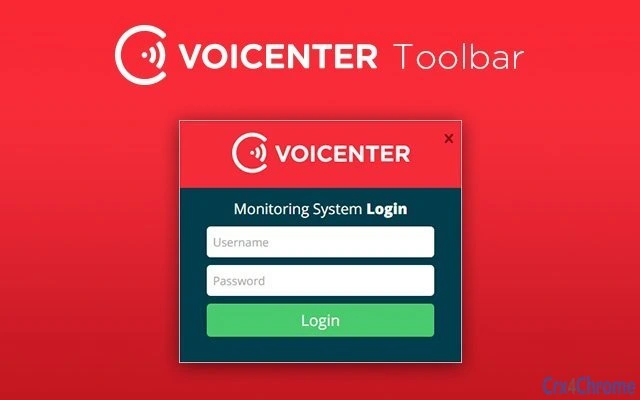

Download Voicenter Representative Toolbar – Chrome Apps, Chrome Extension, Voicenter
The Voicenter Representative Toolbar is a lightweight desktop utility designed to streamline status management for call center agents. It enables representatives to quickly switch their availability—login, logout, or take breaks—directly from any workstation. This tool enhances operational efficiency in multi-workstation environments by minimizing workflow interruptions.
The software is tailored for professional call center teams using Voicenter’s platform, offering a consistent interface across Windows and Mac systems. Real-world use includes rapid status updates during shift changes, breaks, or transitions between tasks. The developer did not provide additional system requirements.
The toolbar is intended for internal use within Voicenter’s ecosystem and supports seamless integration with existing call center workflows.
Key Features & Capabilities
- Status Control – Allows representatives to instantly update their availability status (online, offline, break) with a single click, reducing delays during shift transitions.
- Multi-Workstation Compatibility – Designed for use across multiple workstations, ensuring consistent status updates regardless of the device being used.
- Platform Support – Fully functional on both Windows and Mac operating systems, enabling uniform access for all team members.
- Integration with Voicenter Platform – Seamlessly connects with Voicenter’s call center infrastructure to synchronize status changes in real time.
- Lightweight Design – With a file size of 500KB, the toolbar consumes minimal system resources, ensuring it does not interfere with other applications.
These features are particularly useful in high-volume call center environments where agents frequently switch between tasks. For example, an agent can quickly go on break without navigating through multiple menus or logging out of their main application. The tool supports rapid status changes during shift handovers, helping maintain accurate agent availability tracking. The developer did not specify additional customization options or advanced settings, suggesting a focused, no-frills approach to functionality.
User Interface, Workflow & Performance
The Voicenter Representative Toolbar features a minimal, task-oriented interface designed for quick access. The UI is compact and unobtrusive, likely positioned in the system tray or browser toolbar depending on deployment. Navigation is straightforward, with clearly labeled buttons for login, logout, and break status.
The workflow is optimized for speed—status changes occur with minimal interaction, reducing the time needed to manage availability. The software is expected to operate efficiently with low latency, though exact performance details were not specified. The developer did not provide information on CPU or RAM usage, but the 500KB size suggests a low resource footprint.
Stability is assumed to be consistent given the tool’s narrow scope and intended use. No known conflicts with other applications were reported.
Compatibility & System Requirements
The Voicenter Representative Toolbar is compatible with both Windows and Mac operating systems. It is available in version 1.0.0 and has a file size of 500KB. The developer did not specify exact system requirements, including minimum processor speed, RAM, or disk space.
Platform compatibility information is limited to the supported operating systems. Installation is straightforward, though detailed setup instructions were not included in the provided data. The software is designed for deployment across multiple workstations, suggesting it is suitable for enterprise environments.
No compatibility issues with other software were mentioned.
Pros and Cons
Pros
- Simple, intuitive interface for quick status changes
- Lightweight at only 500KB in size
- Supports both Windows and Mac platforms
- Designed for seamless integration with Voicenter’s call center system
- Free to download and use
Cons
- No information provided on advanced customization options
- Exact system requirements were not listed
- Limited to Voicenter’s internal ecosystem
- No visible offline functionality mentioned
- Dependent on Voicenter’s platform for full functionality
FAQ Section
Is the Voicenter Representative Toolbar compatible with both Windows and Mac?
Yes, the toolbar is designed to work on both Windows and Mac operating systems.
Can I use this tool without a Voicenter account?
The toolbar is intended for use within Voicenter’s call center platform. It requires integration with the Voicenter system to function properly.
Is the software safe to install?
As a tool developed by Voicenter for internal use, it is designed to be secure. However, users should ensure they download it from official sources.
Does the toolbar require an internet connection?
Yes, since the toolbar synchronizes status updates with the Voicenter platform, an active internet connection is required.
How often does the toolbar update?
Updates are managed by Voicenter. The current version is 1.0.0, and the developer did not specify update frequency.
Final Thoughts + CTA
The Voicenter Representative Toolbar delivers a focused, efficient solution for call center agents needing to manage their availability across multiple workstations. Its lightweight design, cross-platform support, and seamless integration with Voicenter’s system make it a practical tool for professional teams. While it lacks advanced features and customization, its simplicity is its strength in high-paced environments.
The free pricing model further enhances its appeal for organizations already using Voicenter’s services. For Voicenter users seeking a reliable way to control their status quickly, this toolbar is a solid choice. Download Voicenter Representative Toolbar now.







